
If you have started researching WordPress for your new website, you have probably run into the first and most confusing decision: WordPress.org or WordPress.com? They share a name and the same core software, but they’re built for very different situations. Here’s how to tell which one is right for you.
THE SHORT VERSION
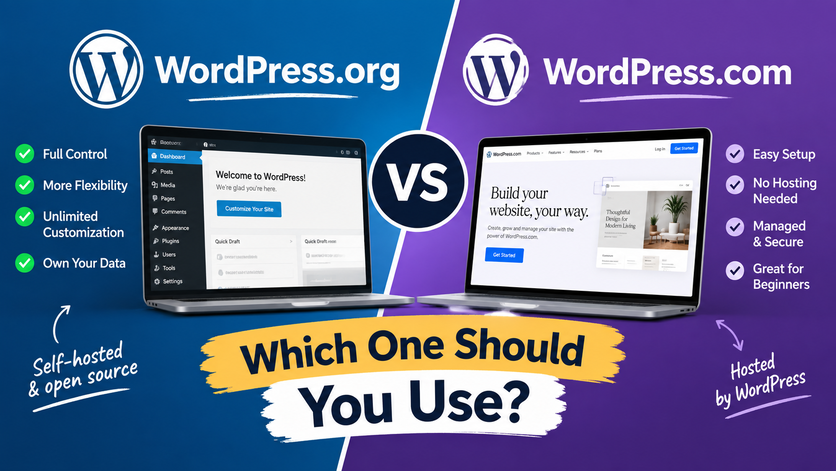
WordPress.org– you download the free software and host it yourself (or hire someone to). You get full control.
WordPress.com– a hosted service where WordPress runs everything for you. You get convenience, with some trade-offs on control.
WordPress.org: full control, more responsibility
When people say “I want a custom WordPress website,” they almost always mean WordPress.org. You install the software on your own hosting, which means:
Any theme or plugin: Tens of thousands of free and premium options, plus the ability to build fully custom functionality.
You own everything: Your content, your data, and your site aren’t tied to a single company’s platform.
You can monetize freely: No restrictions on running an online store, ads, or memberships.
You’re responsible for upkeep: Hosting, backups, security updates, and performance are on you — or whoever manages the site for you.
This is the right choice if you want a site that can grow with your business, need e-commerce, or want a design that doesn’t look like everyone else’s.
WordPress.com: convenience first
WordPress.com is a managed service. You sign up, pick a plan, and WordPress.com handles the hosting, backups, and updates behind the scenes.
Free and low-cost plans available, good for simple blogs or personal sites.
Nothing to maintain– no server, no manual updates.
Limited themes and plugins on lower-tier plans, and some customization requires upgrading to a Business plan.
Branding and restrictions on free plans (like a wordpress.com subdomain and ads on your site).
This works well for hobby blogs, portfolios, or anyone who wants to write and not think about the technical side at all.
A QUICK WAY TO DECIDE
Ask yourself: do I need this site to do something specific for my business: sell products, capture leads, integrate with other tools or is it mainly a place to publish content?
Business, store, or custom functionality →WordPress.org
Personal blog, simple portfolio, “I just want to write” → WordPress.com
Where most small businesses land
In practice, almost every client site I build is on WordPress.org with managed hosting — you get the flexibility of self-hosted WordPress, but a good host still handles updates, backups, and security for you. It’s the best of both: full control, without you needing to babysit a server.
If you’re not sure which setup makes sense for your project, that’s a normal question to have at the start — happy to walk through it together before you commit to anything.
Have a WordPress project in mind?
I design and build fast, custom WordPress sites for small businesses and startups.
Get in touch